Pocket Log gives you total financial clarity without selling your data. Track daily income & expenses, manage multi-wallet balances, record loans & debts with clear payback progress, and safely backup to your own Google Drive.
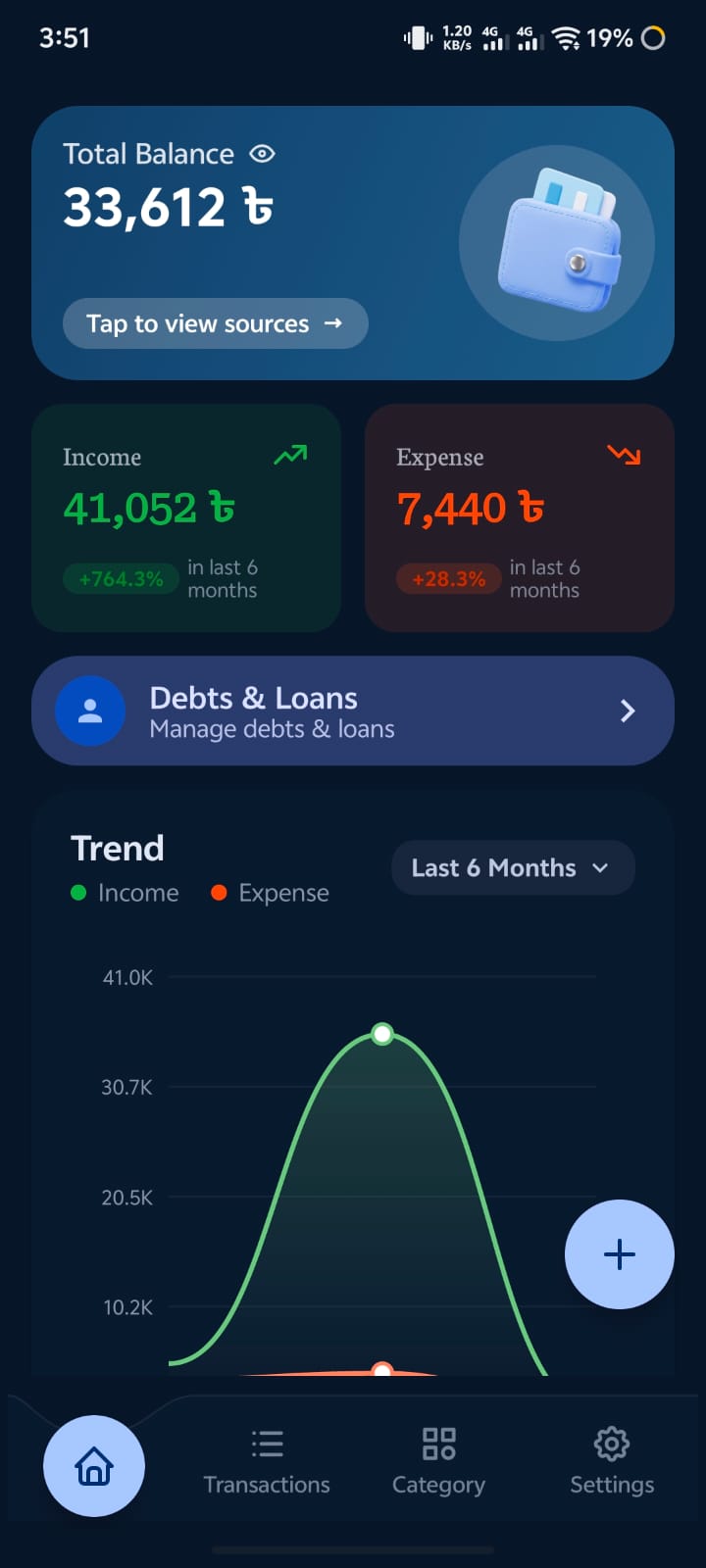
Pocket Log combines modern Jetpack Compose aesthetics with rock-solid offline-first architecture to keep your financial life organized and private.
Log transactions in seconds with intuitive categories, custom icons, remarks, tags, and date/time tracking. Organize everything without tedious typing.
Track money lent to friends or borrowed from creditors. Profiles clearly show Total Amount, Settled/Paid Amount, and Remaining Balance with live progress bars.
Keep your records safe across device changes. Automatic or one-tap backups save directly to your own Google Drive's private AppData folder without intermediary servers.
drive.appdata folderGenerate professional financial statements directly on your device. Itemizes income, expenses, category shares, and debt balances with clean Grand Totals.
Manage multiple balance sources such as Cash in Hand, Bank Accounts, Mobile Financial Services (bKash, Nagad), and Credit Lines in a single dashboard.
Protect your sensitive records with native Android Biometric authentication (fingerprint/face) or a 4-digit PIN. Your data is stored safely in Android's private sandbox.
Clean interfaces, smooth Material 3 animations, dynamic themes, and intuitive financial controls.
Total balance, cashflow overview, & recent transactions
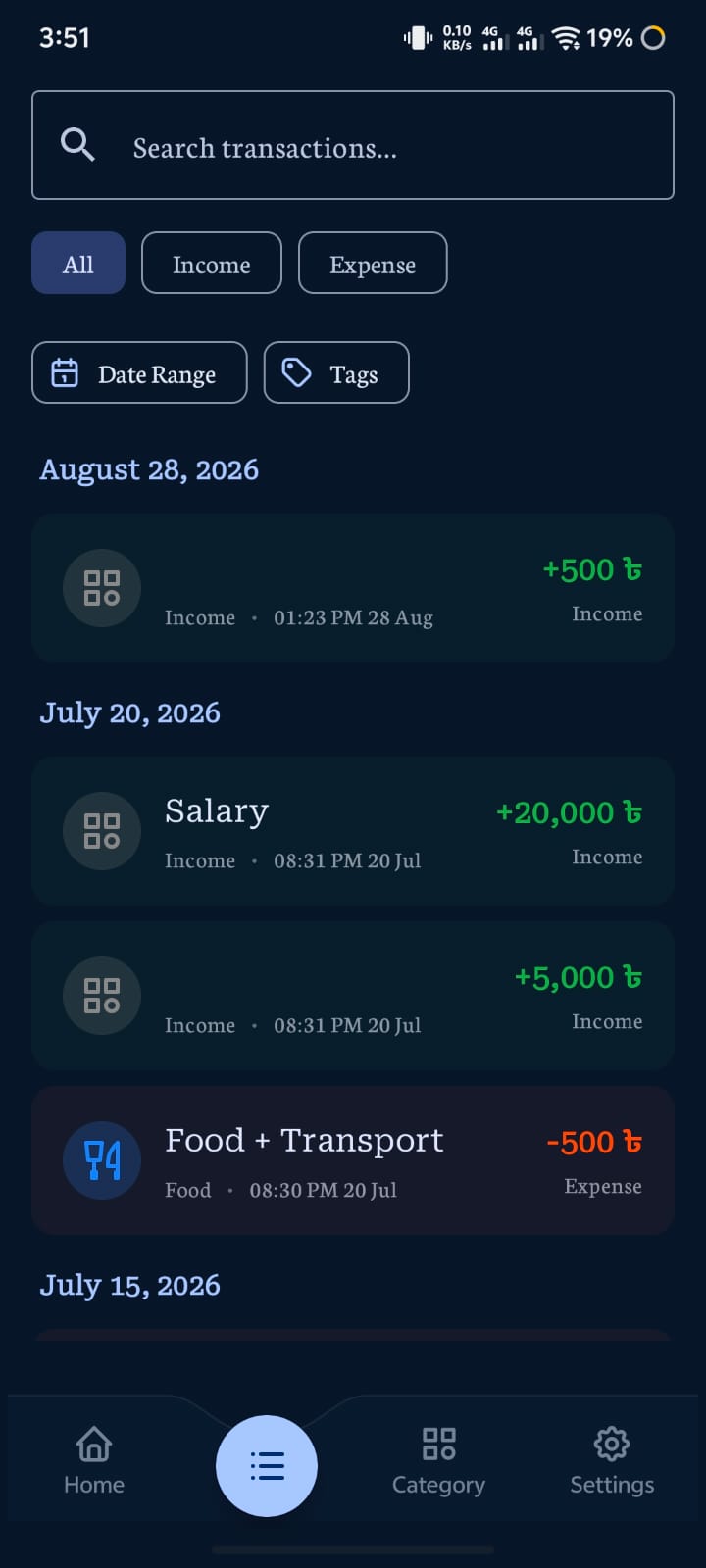
Filtered list with date groupers and search
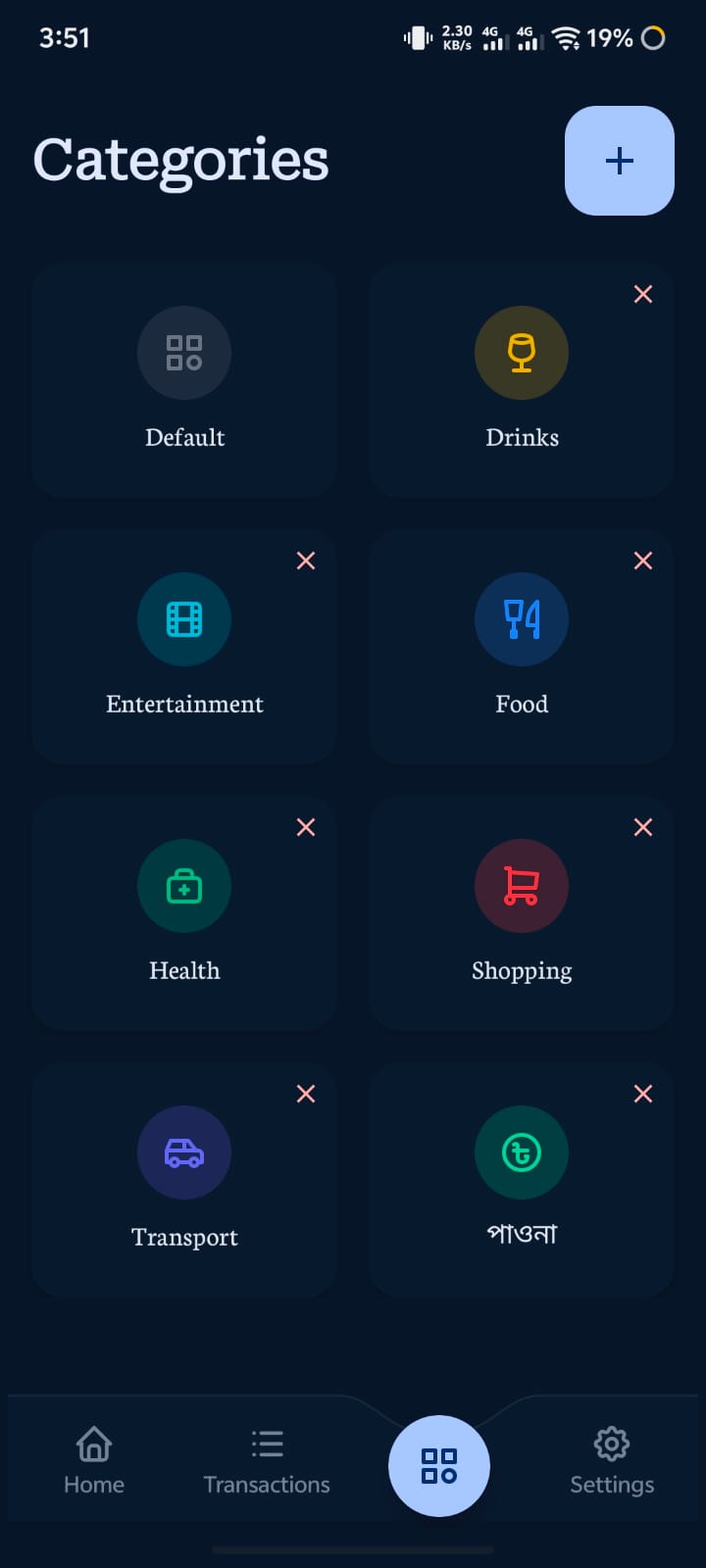
Create & customize expense categories
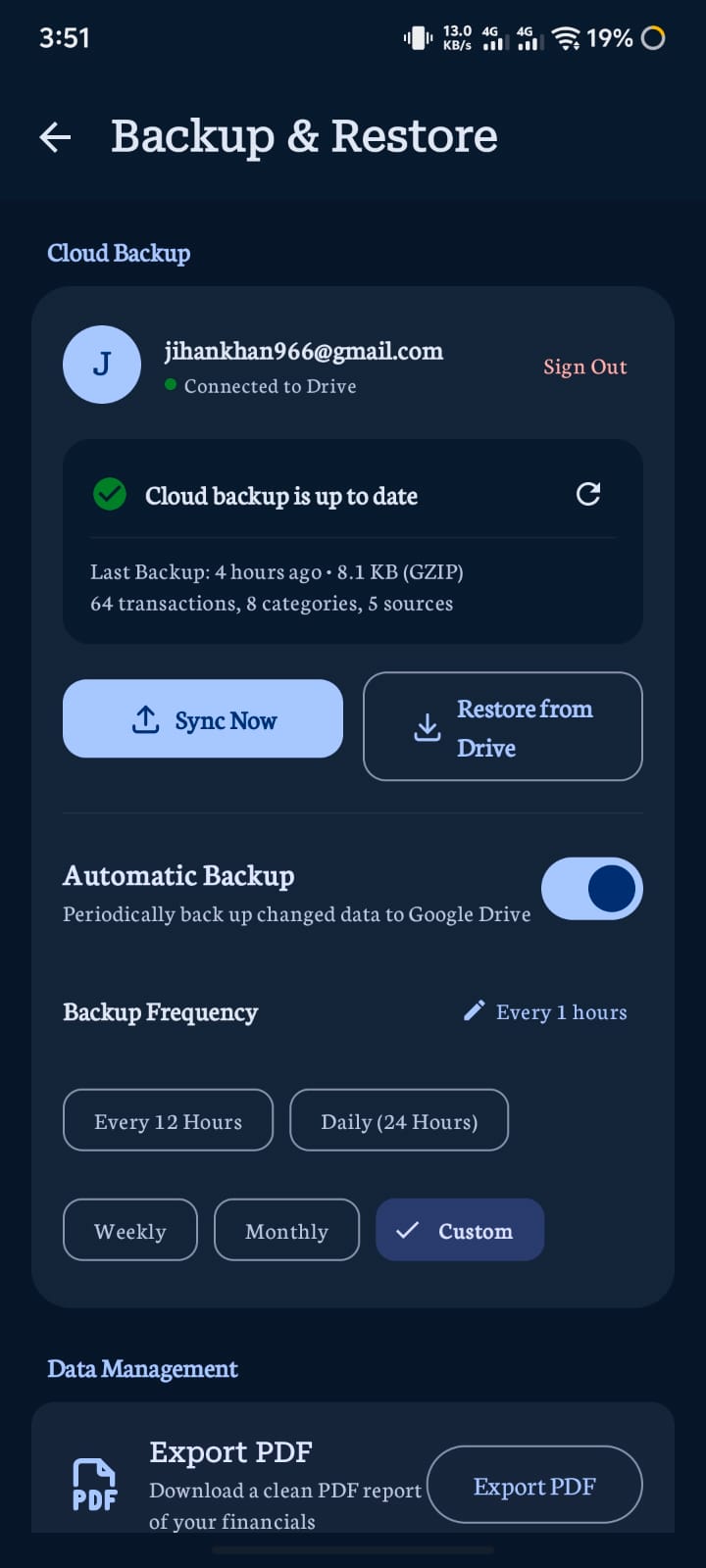
Encrypted Google Drive backup with automatic sync
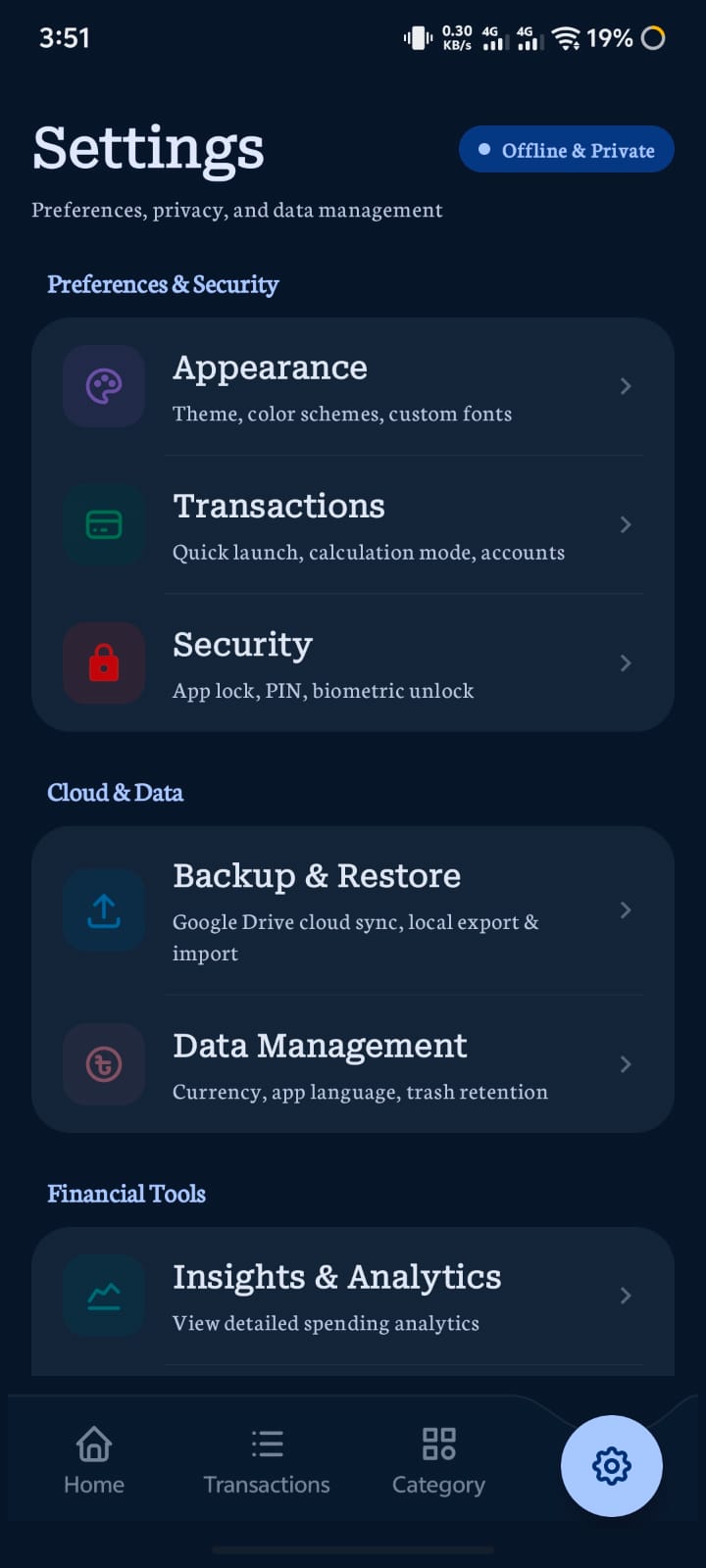
App lock, data management, themes, & export options
Compare Pocket Log's local-first architecture against traditional commercial finance applications.
| Feature / Guarantee | Pocket Log | Typical Cloud Expense Apps |
|---|---|---|
| Primary Data Location | Your Device (Local SQLite Sandbox) | Remote Corporate Servers / Databases |
| Cloud Backup Mechanism | Direct to your own Google Drive (Optional) | Forced proprietary cloud account |
| Advertisement & Tracking SDKs | 0% (Completely Ad-Free & No GAID) | Facebook, Google AdMob, Adjust, etc. |
| Bank Credentials Required | Never (Manual & private logging) | Plaid / Yodlee access credentials |
| Data Export Formats | Instant PDF, CSV & JSON (100% Free) | Often paywalled or restricted |
| Open Source Transparency | Fully Open Source on GitHub | Closed proprietary black box |
Everything you need to know about Pocket Log's features, backup, and privacy.
Pocket Log is built with a local-first architecture. All core features—such as recording transactions, calculating debt balances, viewing analytics, managing budgets, and exporting PDF reports—work completely without an active internet connection.
An internet connection is only used if you explicitly enable the optional Google Drive Cloud Backup feature to sync your backup archives to your personal Google Drive account.
No, Pocket Log cannot see or touch any other files in your Google Drive. We strictly request the restricted drive.appdata OAuth scope.
This scope grants access exclusively to a hidden, dedicated application folder that Google creates for Pocket Log. The communication occurs directly between your phone and Google's official Drive API endpoints over HTTPS. The developer operates no proxy servers and never sees your backup files.
Under the Debt section, you can add profiles for people you've lent money to or borrowed from. For each person, Pocket Log maintains an itemized ledger calculating:
When exporting a PDF financial statement, every person's individual statistics are neatly printed in a dedicated table followed by a clear Grand Total.
Never. Pocket Log does not integrate with banking aggregators like Plaid or require your bank login details. You manually create custom balance source labels (like "Cash", "Bank", or "bKash") to organize your own finances safely.
You have two easy methods:
Because Pocket Log does not operate remote user accounts, deleting your data is instantaneous. You can wipe all records in Settings > Data Management > Clear All Data, delete the Google Drive backup file with one tap, or uninstall the app. For detailed step-by-step instructions, please view our Account & Data Deletion Policy.
Android Developer • Open Source Enthusiast
Built with passion using modern Kotlin and Jetpack Compose. Pocket Log is created to give users complete peace of mind, privacy, and full control over their financial records.